


What Is the HTML to Image Converter?
The HTML to Image converter is an Internet-based service that will convert HTML files or webpage code into an image. It converts the HTML design and stores it in another image format. One can upload an HTML file or paste the HTML code. The content will be processed with the tool.
Sharing of webpage designs and website layouts becomes easy in the form of images. It is a quicker answer to all people in need of converting HTML to either PNG or JPG without coming up with software.
Key Features of the HTML to Image Tool
Convert HTML Files to Multiple Image Formats
It is possible to convert HTML files to other image formats. PNG works with sharp graphics. JPG and JPEG are better suited because they are smaller in size and can be easily shared.
Upload HTML File or Paste Code
The tool allows you to upload an .html file or paste HTML code into it. This simplifies and also makes conversion flexible.
Webpage URL to Image
It is also possible to enter a webpage URL and convert the page into an image. It assists in saving a complete webpage screenshot without any complications.
Fast Online Conversion
The tool works with HTML and converts it into an image in a few seconds. All this goes online within the browser.
Secure and Private
Your HTML content stays safe. File collection is not applied to external servers.
No Installation Required
This is a browser-based tool. No software or extension has to be downloaded.
How to Convert HTML to an Image Online
The TrimIMG tool is easy to use. The following is the way to convert HTML to an image within seconds:
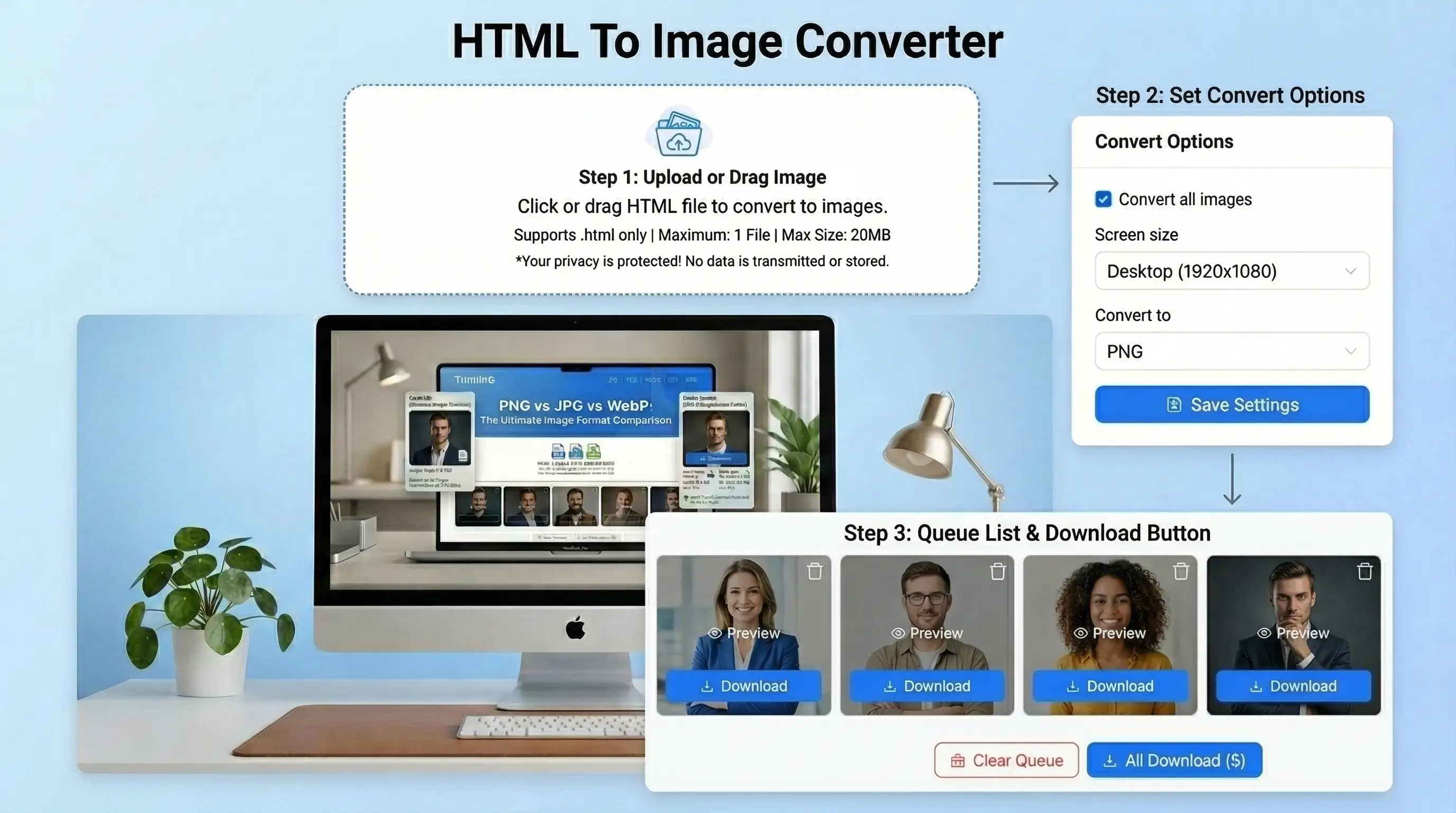
- You can just paste or upload your HTML content to the editor.
- Choose the format you would want to export your output to.
- Customize the rendering background, size and image quality.
- Click on convert and view the output.
- Get your final HTML screenshot automatically!
Why Use an HTML to Image Converter
The conversion of HTML into an image is applicable in numerous cases.
Developers can capture UI layouts. Website previews can be saved by the designers. Bloggers have the ability to change HTML templates to pictures.
It can also be useful for documentation and social media sharing. You need not share code/webpage links, but a plain picture of the design is sufficient.
Benefits of Using the TrimIMG HTML to Image Tool
- TrimIMG is an easy and quick conversion tool for images.
- The instrument is an online one, and it produces high-quality.
- You do not require any knowledge of coding.
- Any person can convert the HTML to PNG or JPG with a few clicks.
- This renders it usable in both personal and professional capacities.



