


What is an HTML to GIF converter?
HTML to GIF refers to a webpage or HTML code to a GIF image file. The tool scans the layout and design and converts it into an image format.
The GIF format is suitable for simple images. It is not bulky and can be shared easily.
How to convert HTML into GIF online.
Using the TrimIMG tool is very easy. Follow these steps:
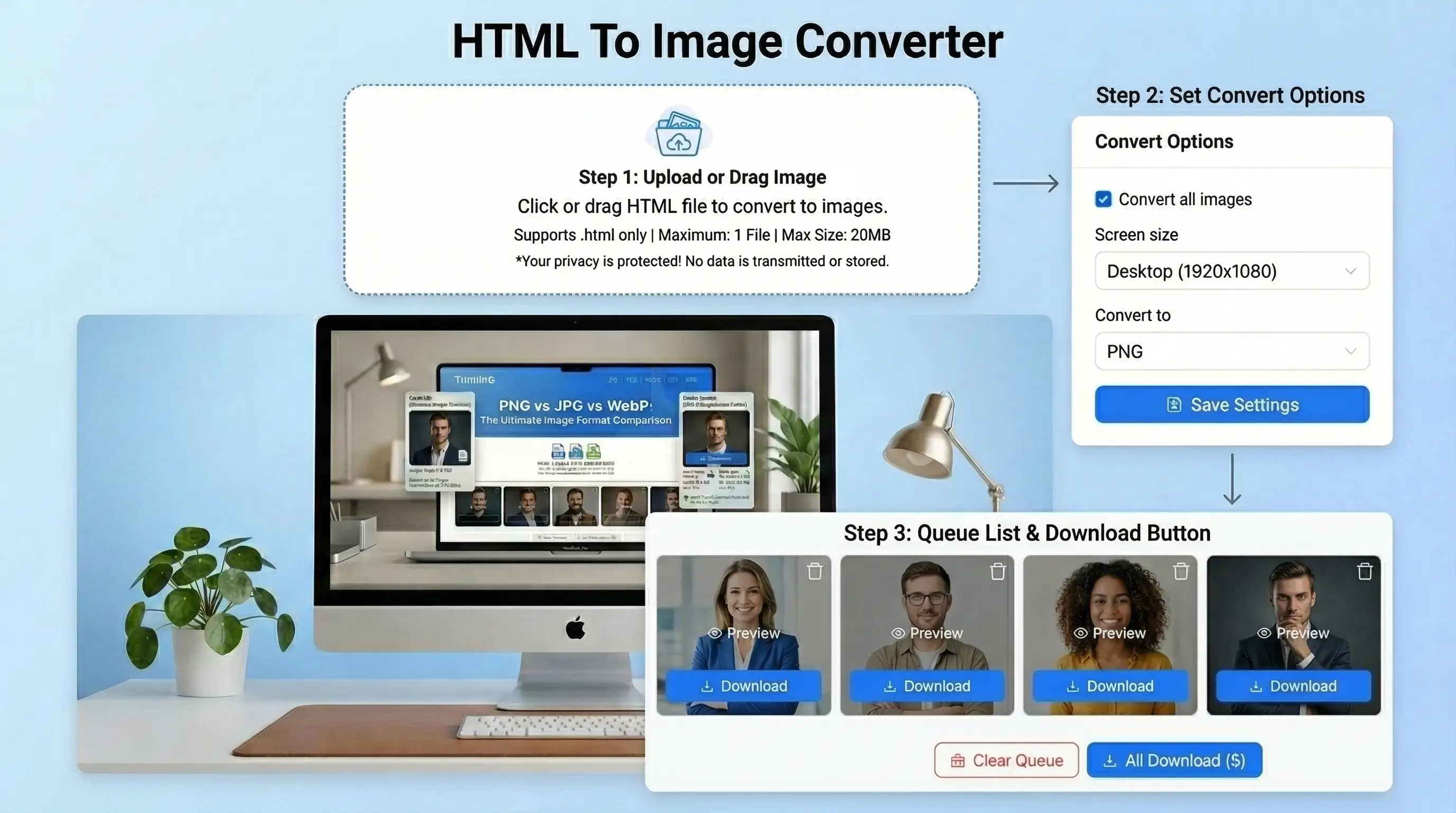
- Step 1: Write your HTML code or a webpage URL.
- Step 2: Click the convert button.
- Step 3: Wait a few seconds.
- Step 4: Download your GIF image.
It is fast and does not require any technical skills.
Key Features of HTML to GIF Tool
This is a tool designed to provide rapid results with a straightforward procedure. It assists users in turning HTML into GIF images with no confusion.
Fast Conversion
The tool transforms HTML code or a webpage into a GIF image in a matter of seconds. It is also made faster. You are not forced to wait long. Big HTML files are also handled fast and smoothly.
Convert HTML Files to Multiple Image Formats
Supports Live Website URL
You can paste a live website URL and turn the entire site into a GIF. The feature comes in handy when you wish to take actual web designs without downloading anything.
No Signup Required
No account creation or signing in is required. The tool does not require any personal information to be shared to use it immediately. This accelerates and simplifies the process.
Works on Mobile and Desktop
The application is fully responsive and compatible with all devices. You can apply it to your phone or computer. It does not need any installation because it runs directly in your browser.
Secure and Safe Tool
Your information remains confidential and intact. The tool does not store your HTML code or files. It is safe to carry out all the conversions. Making it dependable in both personal and professional applications.
Why Use an HTML to GIF Converter?
This is an effective tool for numerous users. You may use it to work or have a personal activity.
- Create Shareable Visuals — It is possible to convert web content to GIF images so that it can be easily shared.
- Save Webpage Design — Extrapolate a webpage design to a picture.
- Quick and Simple Use — No coding skills needed. Just paste and convert.



