


What does an HTML to PNG converter mean?
A converter is a web-based programme that transforms HTML into an image. You can paste your HTML code or enter a Webpage address. The tool will design and render the design as a correctly laid-out, appropriately styled PNG image.
Key Features of HTML to PNG Tool
Fast Conversion Process
The program can convert HTML to PNG in a matter of seconds. It has a rapid processing system. It does not take long to produce results. Large HTML content does not require much waiting.
High-Quality PNG Output
It gives a good and crisp PNG image each time. The space, the color, the fonts, and the design are all accurate. The picture is professional and of high quality.
Convert Webpage URL or HTML Code.
You can either paste raw HTML or the live address of the web page. The tool gives the chance to have options and completely represents the design. It may be used on active web pages as well as in static code.
Convert HTML Files to Multiple Image Formats
No installation or download.
It is a completely browser-based tool. No app or software needs to be installed. It only takes a few seconds to convert instantly on any device.
Secure and Private Processing
Your information is secure and safe. The tool does not archive your HTML code or pictures. All the files are subjected to safe processing and eliminated upon conversion.
Simple and Clean Interface
The interface is user-friendly. It is easy and can therefore be used by anyone. Beginners can also convert HTML into an image without any technical skills.
Works on All Devices
This tool can be used on a mobile, tablet, or desktop. It is compatible with all current browsers, including Chrome, Edge, and Safari, with no compatibility issues.
How to convert HTML to PNG online.
There is no problem with using the TrimIMG HTML-to-PNG tool. The following are step-by-step instructions on how to have your content converted:
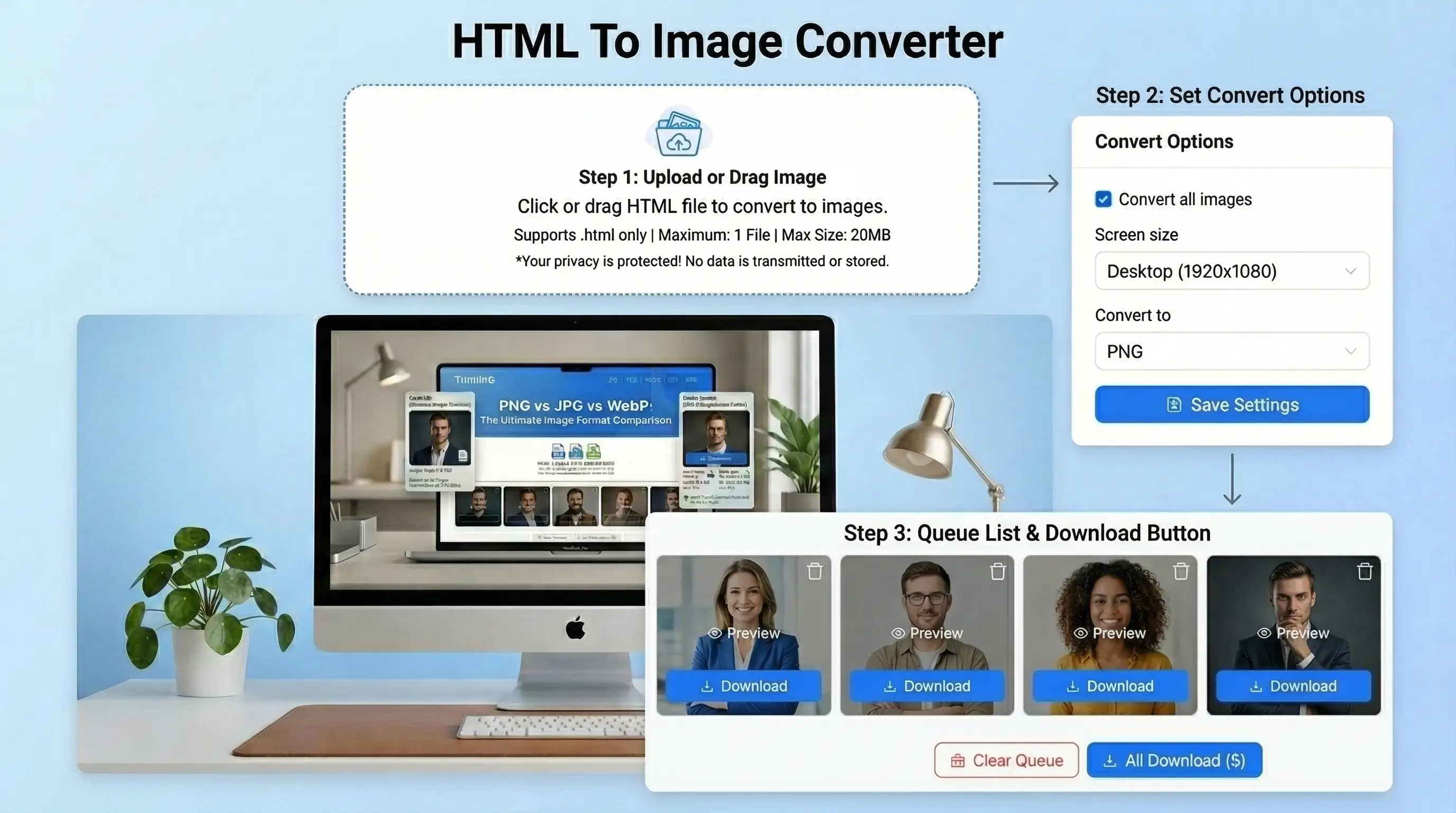
- Insert HTML or upload an HTML file.
- Select HTML as your output format and PNG as the output format.
- Background color, resolution, or viewport size can be customized.
- Click the convert button and let the tool create your image.
- Instantly convert your quality HTML file to a PNG image.



