


Key Features of the Rotate GIF Image Tool
Rotate GIF at Any Angle
The application enables you to spin GIF pictures at regular angles such as 90 degrees 180 degrees or 270 degrees. There is also the option of setting the direction to correct any sideways or upside-down animations. This assists users in adjusting the orientation of animated images quickly without editing software.
Keep Original Animation Frames
Most image editors corrupt the GIF animation when editing. All animation frames are kept safe by TrimIMG. The animated GIF is smooth when it is rotated. This is because your GIF is still the same.
Supported Image Fordesign
Maintain Original Image Quality
It is a tool that spins GIFs without any loss in quality. The animation is clearly sharp and smooth. It can be useful to users who require high-quality GIF images to use on websites social media or presentations.
Fast Online Processing
It works on your GIF image in a matter of seconds. All you have to do is upload the file. Select the rotation angle. Download the rotated animation. The program is time-saving and easy to use for GIF editing.
Secure and Stable Image Processing.
User privacy is important. Poisoning uploaded GIF files is securely processed. The system automatically deletes files after processing. Your photographs remain secret and confidential.
No Installation Needed
TrimIMG is a totally online business. Users do not require placing software plugins and extensions. This renders the tool quick and user-friendly.
How to Rotate GIF Images Online
Rotating a GIF image with TrimIMG requires only a few steps.
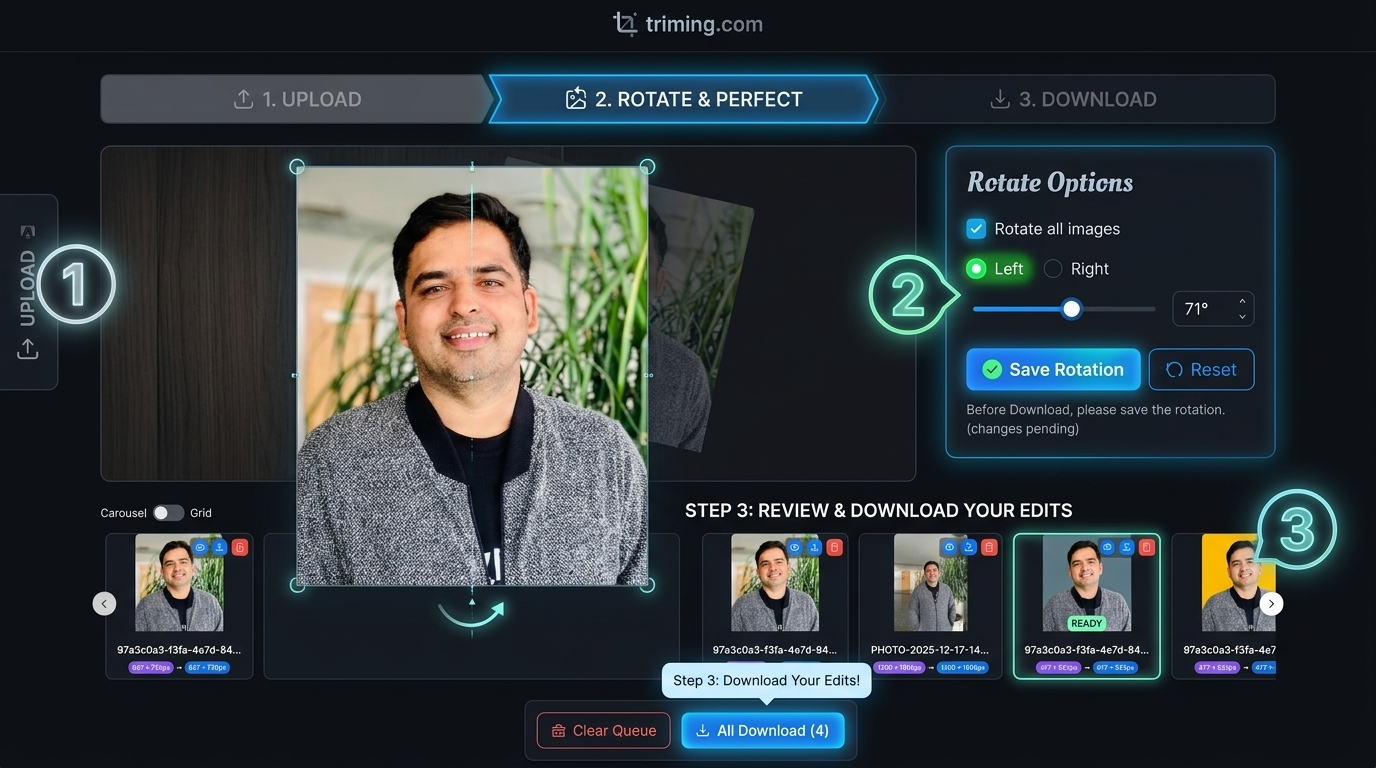
- Add your GIF file to the tool.
- Select the rotation angle.
- Click the rotate button.
- Download the rotated GIF image.
The tool preserves the frames of an animation and the original quality of your GIF.
Why Use an Online GIF Rotator
GIF images are common in web blogs and other social media sites. These animated pictures are sometimes posted on sites after downloading or uploading.
An online GIF rotater is useful in correcting the orientation on a fast basis. It consumes less time and eliminates the use of sophisticated editing applications.
TrimIMG allows you to rotate the animated GIF without disrupting the animation. The tool will be easy fast and convenient to use in everyday image editing.



