


What is HTML to HEIC conversion?
HTML to HEIC conversion refers to encoding HTML into an image file of HEIC format. It takes a snapshot of the webpage design, layout, and content in the form of a static picture.
How to Convert HTML to HEIC Online.
Our online TrimIMG tool has the following easy steps:
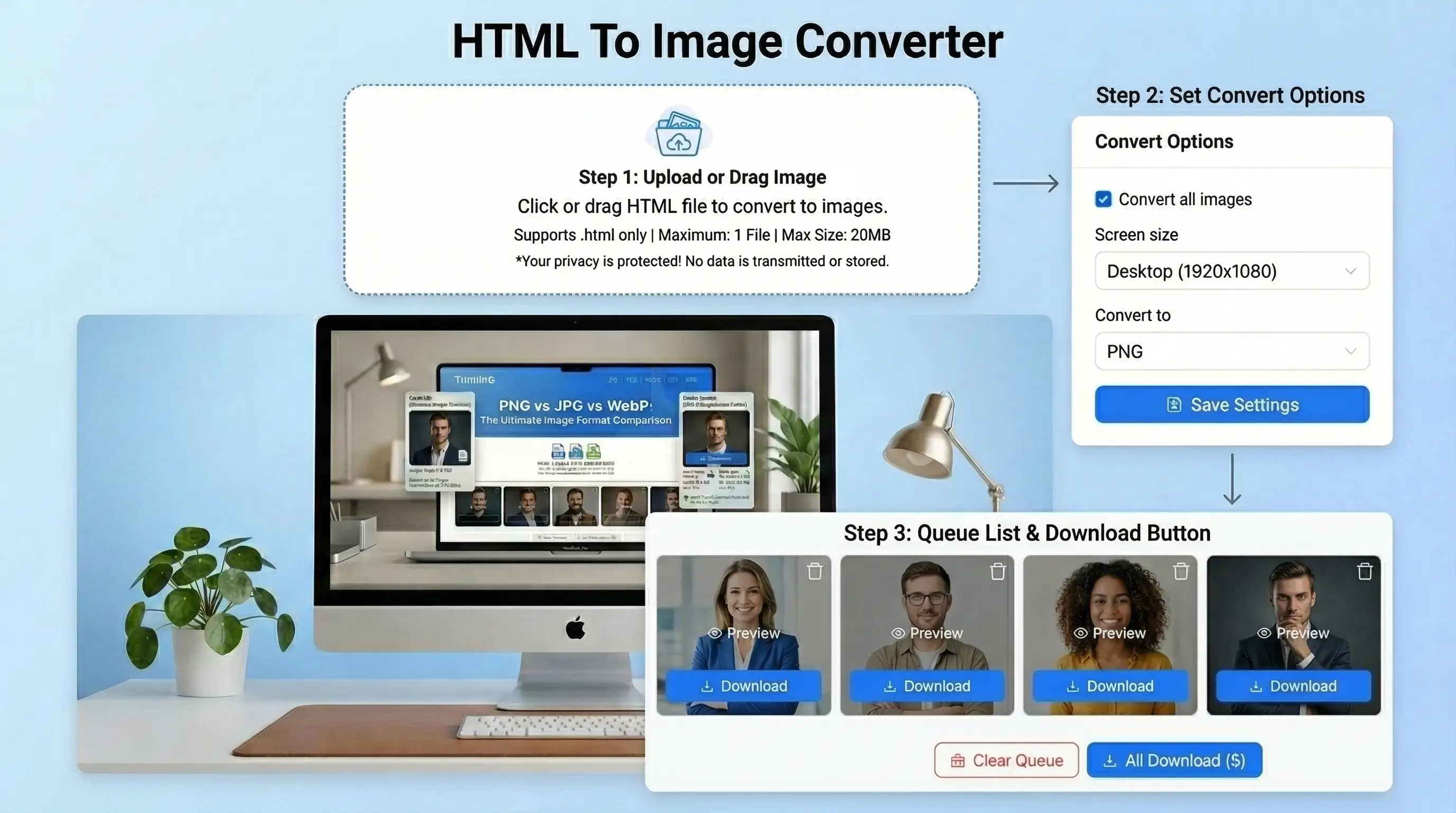
- Enter HTML code. Upload an HTML file. Paste a webpage URL.
- Choose HEIC as the preferred output quality.
- Adjust output preferences such as resolution and background.
- Click Convert as HEIC to save HTML.
- Save your webpage as a HEIC picture without any watermark or advertisements.
Features of the HTML to HEIC Tool
Its a fast and convenient tool. It helps users to translate HTML, HTML to HEIC, HEIC images without any hassle. The interface is simplified and easy to use without technical experience.
Fast conversion
The tool works very fast. Seriously Convert web page or HTML code to HEIC image in seconds. There is no need for waiting and lengthy procedures. All you have to do is add the input data and do it to get instant results.
Convert HTML Files to Multiple Image Formats
High-Quality Output
The original layout and design are preserved in the output image. Text, colors, and structure remain crisp and clean. You still get a professional and clean image without compromising on quality.
No Signup Required
This tool does not require you to create an account. No registration or login is required. This saves time and renders the tool fast to retrieve at any given time.
Secure Processing
Your privacy is important. Your HTML code and files are not stored in the tool. All information is safely handled and deleted upon conversion. You are free to use it.
Works on All Devices
This is a browser-based tool. It can be used on your mobile or desktop. It can run on any screen size and operating system without any problems.



