


How to Resize JPG Using TrimIMG
It is easy and quick to resize a JPG image using TrimIMG. The tool can be used by any person without editing skills.
Step 1: Upload Your JPG Image
Click on the Upload Image button or drag the JPG file to the upload place. The tool will automatically load the image.
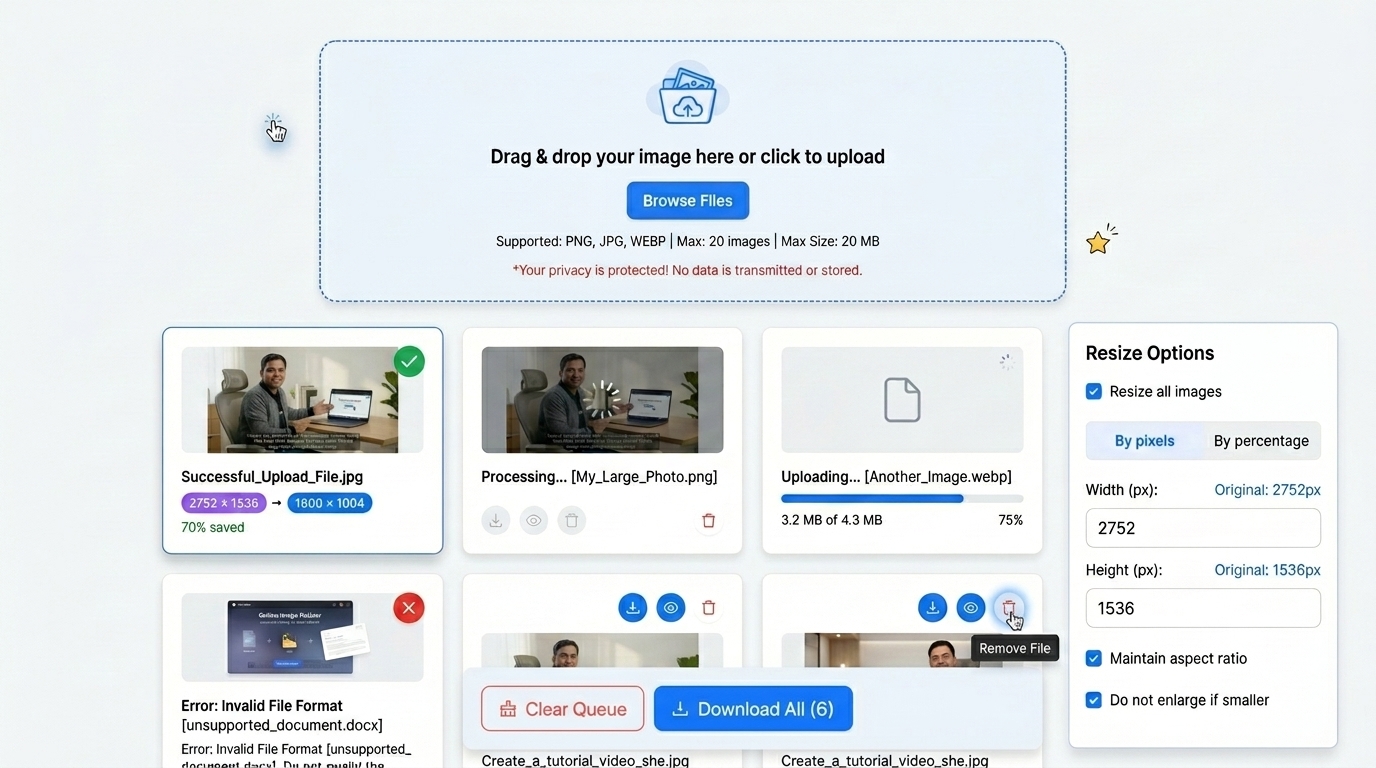
Step 2: Select Resize Method
Once the image has been uploaded, you will have JPG resize options.
- Resize JPG in Pixels: Type in the new width and height of the image.
- Resize Percentage: Resize the image proportions.
Step 3: Set Image Size
Input Width (px) and Height (px) to suit your needs.
- Keep Aspect Ratio: Maintains the original image proportions.
- Prevent Enlarging Small Pictures: It helps to avoid blurring of small pictures.
They are environments that preserve the image quality of JPG.
Step 4: Resize the JPG image
Click the Resize button. And it will take seconds to process your image.
Step 5: Save the Downsized JPG.
To save the resized image to the device. It doesn't need more than a few seconds. Your photo will remain clear and sharp.
Watch: How to Resize Images Online
Step-by-step video guide · TrimIMG
Key Features of the TrimIMG JPG Resizer
The Tool has good facilities that simplify and improve the resizing of JPGs.
Resize Image Without Losing Quality
The tool applies intelligent image processing. It preserves JPG images even after resizing.
Reduce JPG File Size.
TrimIMG can also reduce the JPG file size in KB or MB. Smaller images improve website load times.
Multiple Image Formats Supported.
The tool can support the following image formats:
- JPG image resizer
- PNG image resizer
- WebP image resizer
- BMP image resizer
- HEIC image resizer
- SVG image resizer
- ICO image resizer
Batch Resize Images.
It will allow you to resize multiple JPGs simultaneously. This option is time-saving when dealing with numerous photos.
When Should You Resize JPG Images
Image downsizing of JPG files is handy in numerous cases. Huge pictures would slow down the websites, and uploading them would be a challenge. An online JPG resizer is a useful application to make images smaller without losing their quality.
Website Optimization
Big images take up a lot of time in loading pages. Smaller JPG images help websites to load more quickly and enhance the level of SEO performance.
Social Media Images
Various social media networks have varying image sizes. Your JPG will fit perfectly by resizing.
Easy Sharing and Storage
Smaller JPG files occupy smaller spaces. They are simpler to send via email or chat programs.



