


How to Resize an ICO Image Online
TrimIMG is a fast and reliable tool that allows you to resize ICO images online quickly. The tool is browser-based. You will not need any software to change the sizes of icons. These are just a few basic recommendations on how to reduce your ICO.
Step 1: Upload Your ICO File
The former is to upload your .ico file by clicking on the Upload button or the drag-and-drop method in the uploading section. It will put your icon into the tool, ready to resize.
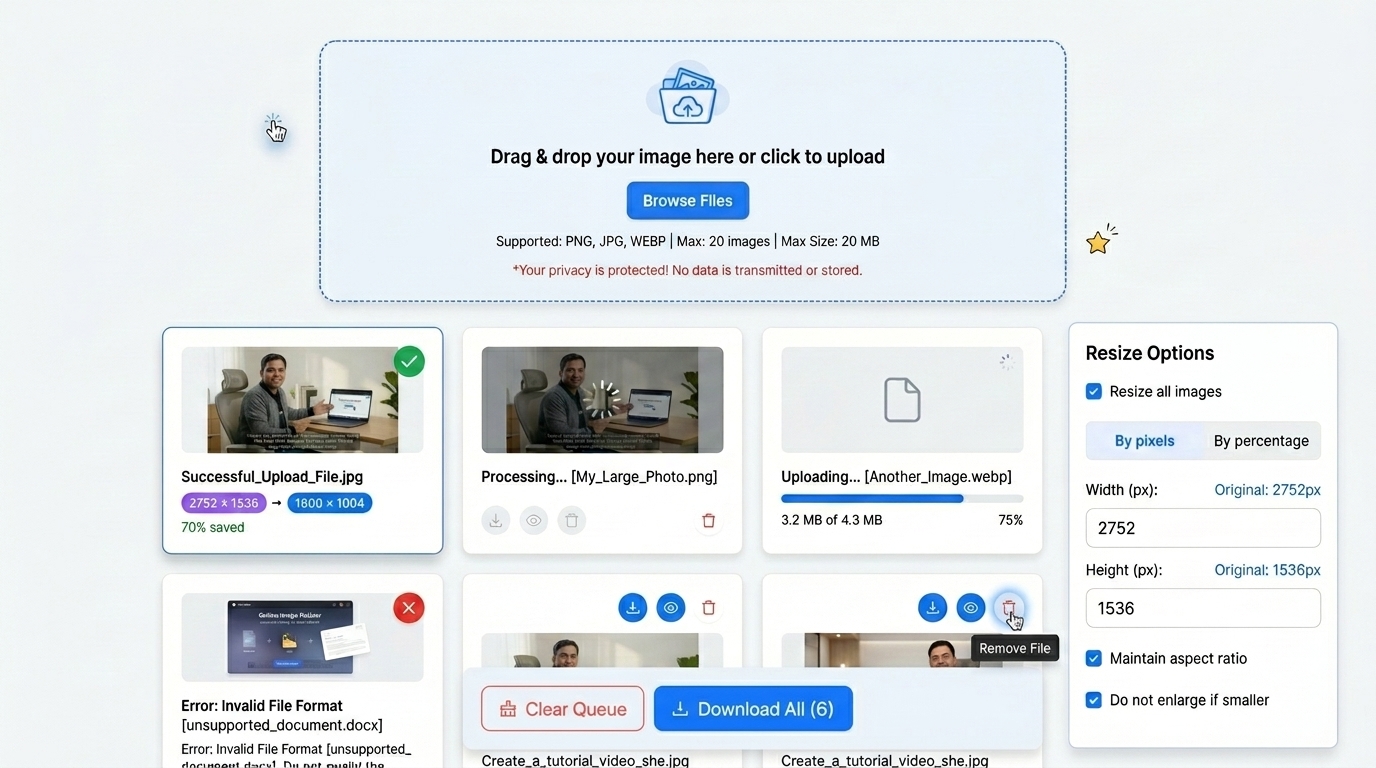
Step 2: Select the Resize Option.
Insert the width and height needed in pixels. Percent resize of the icon to fit your needs.
Step 3: Click the resize button
After the dimensions are established. Press the Resize button. The program will automatically operate on the icon and make it the size that is required.
Step 4: Resave the ICO Image.
After resizing is done. Another press of the Download button. The downsized ICO file is stored on your computer.
Watch: How to Resize Images Online
Step-by-step video guide · TrimIMG
Features of the TrimIMG ICO Resizer
Resize by Custom Dimensions
You can set the custom width and height in pixels which will fit your needs perfectly for icons. This can be used in favicons or UI design.
Resize ICO by Percentage
It is also possible to resize icons in terms of percentages rather than defining the sizes of icons. As an illustration. Reduce the size of the icon by half, though maintaining the proportions.
Batch Resize a set of ICO files.
TrimIMG helps you to upload and resize multiple ICO files at the same time. It saves time, particularly in the case of icon sets or huge projects.
Maintain High Image Quality
Our tool has smart image processing which may mean that resized icons are sharp and visually consistent.
Fast and Browser-Based Tool
Everything is interacting in the browser. It requires no installation. Resizing can be done in a few seconds.
Secure and Private
The security of your images is guaranteed since files are not stored permanently on the server, but the processing is carried out instantaneously.



