


How To Use The TrimImg PNG Image Rotator
The PNG Image Rotator is user-friendly, which means it is made easy to use by anyone without experience in editing. It can be done in a matter of a few seconds.
Upload Your PNG Image
The PNG Image Rotator page should be first opened on TrimIMG. One will have a choice to post to the screen. Click Upload, then select the PNG file on your machine. Drag and drop. The image will also be capable of being dragged and dropped in the upload area.
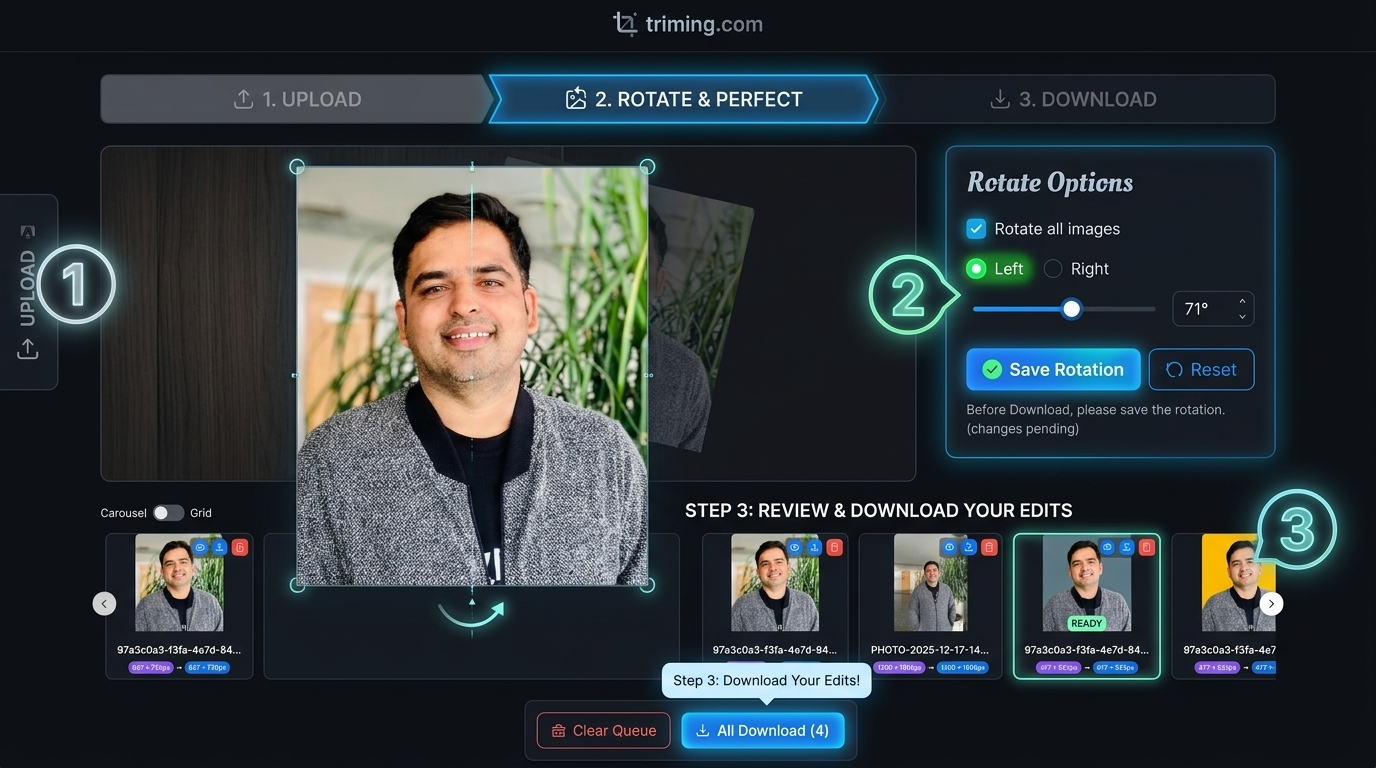
Choose the Rotation Angle
Yan chose the rotation angle. The tool usually has the choices of rotating left or right or a 180-degree rotation of the picture.
Download the Rotated PNG Image.
When the image appears to be right, then press the download button. The new file will be created immediately as the PNG image rotator.
The downloaded version of the rotated PNG image will be in the same quality and transparency as the original file.
Key Features Of The TrimImg PNG Image Rotator
The TrimIMG PNG Image Rotator has some handy capabilities that help one to edit images easily and in a short time.
Rotate PNG Images At Different Angles
It is an application that allows the user to spin PNG files using popular angles, 90, 180, and 360 degrees. Most of the orientation problems can be corrected in a short span using these alternatives. These alternatives can be used to rectify most orientation problems within a short period. Another option is to preview the picture to ensure that the angle appears right before downloading.
Fast Online Processing
The application is browser-based and is fast in image processing. One just needs to upload the file, and the PNG Image Rotator turns the image in just a few seconds. This saves time and makes the editing process easier for beginners.
Supported Image Formats
The rotate image tool can be used with the most popular files.



